Rustcoach: five modules, from Core Rust to the deep dives
Rustcoach is no longer one syllabus. Core Rust now sits next to four deep-dive modules, Async & Tokio, Macros, Concurrency & Atomics and Advanced Types & Traits, each with its own syllabus, progress and review cards.
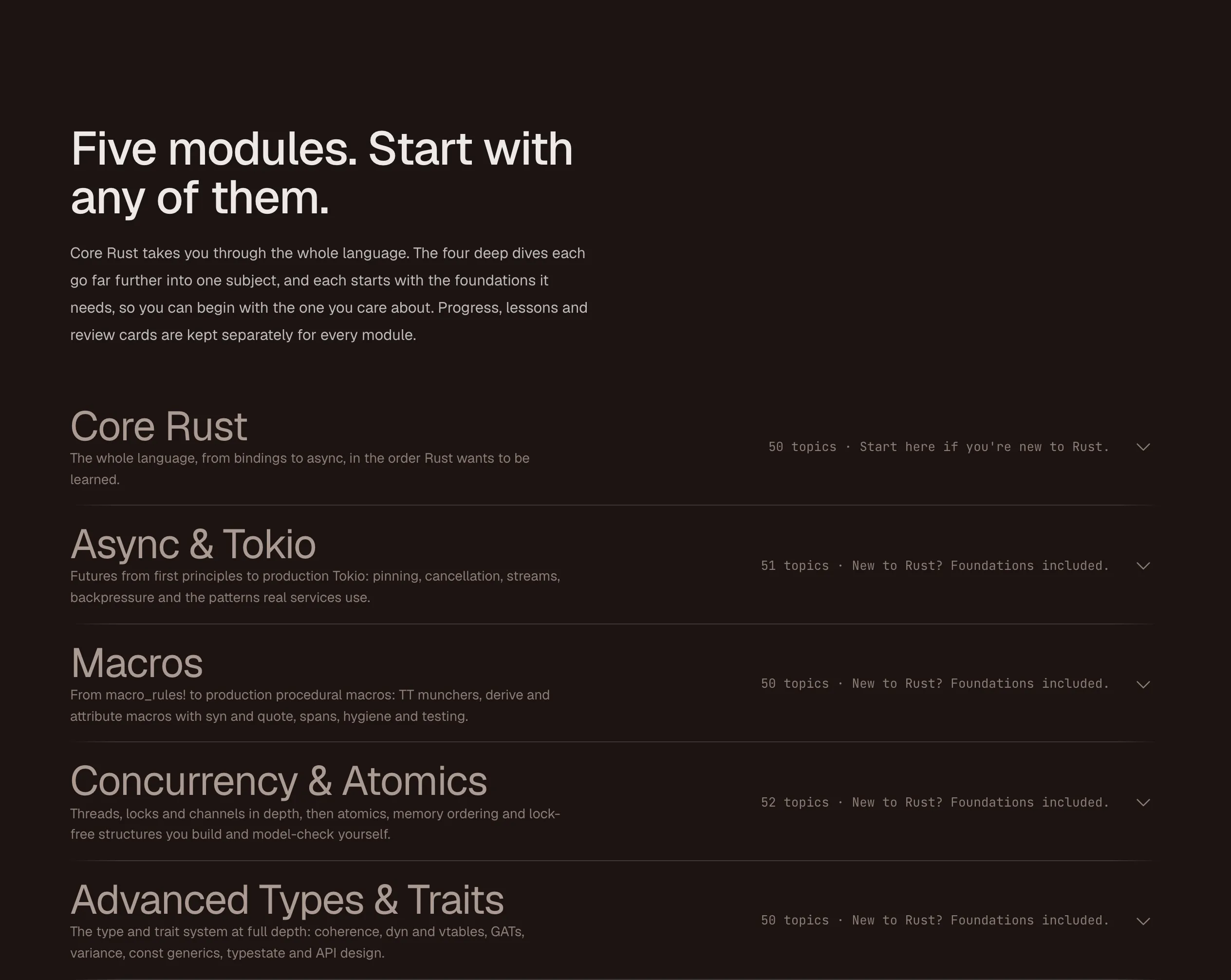
Until 9 October, Rustcoach taught one syllabus: the whole Rust language, start to finish. That works if you are new to Rust. It goes only so far for someone who already writes Rust and wants to get properly good at one hard part of it, such as async, macros or memory ordering: Core Rust gives each of those a chapter, not a course.
Since 9 October Rustcoach has five modules. Core Rust is still there, and next to it are four deep dives, each going much further into one subject.
The five modules
Core Rust. The whole language, from bindings to async, in the order Rust wants to be learned. 50 topics, in sixteen chapters: bindings and control flow, ownership and borrowing, structs, enums and patterns, collections, error handling, generics and traits, lifetimes, closures and iterators, smart pointers, modules and crates, testing, threads and sync, advanced traits and patterns, macros, unsafe and FFI, and async. This is where to start if you are new to Rust.
Async & Tokio. Futures from first principles to production Tokio: pinning, cancellation, streams, backpressure and the patterns real services use. 51 topics. You write a future by hand and a tiny executor that runs it, and the capstone is an in-memory key-value server, with its protocol, framing, concurrent connections and graceful shutdown, built and tested over several lessons.
Macros. From macro_rules! to production procedural macros: TT munchers, derive and attribute macros with syn and quote, spans, hygiene and testing. 50 topics, ending with a derive Builder and an instrumenting attribute macro.
Concurrency & Atomics. Threads, locks and channels in depth, then atomics, memory ordering and lock-free structures you build and model-check yourself, with loom. 52 topics. You write a spin lock, a one-shot channel, Arc, Mutex, Condvar and RwLock from atomics up, and the capstone is a concurrent cache with eviction and a thread pool with graceful shutdown.
Advanced Types & Traits. The type and trait system at full depth: coherence, dyn and vtables, GATs, variance, const generics, typestate and API design. 50 topics, including which changes to traits and types break your users, and how to evolve an API without a major version.
You do not have to start with Core
Each deep dive opens with a short Foundations chapter covering the Rust it builds on. For Async & Tokio that is ownership, traits and generics, closures, smart pointers, and what Send and Sync promise. The coach checks what you already know there and fills any gaps, so the chapter is fast if you know it and thorough if you don’t.
So the advice is simple. If you are new to Rust, start with Core Rust. If you already know some Rust and want to go deeper into one subject, go straight to that module.
Separate progress per module
Progress, lessons and review cards are kept separately for every module. Work you have already done is not thrown away, though: topics you have already covered in Core Rust start ticked off in a deep dive’s Foundations chapter.
The same coach in every module
Nothing about how Rustcoach teaches changed. In every module the coach writes each lesson for you, sets assignments you write yourself in the browser, runs your code against real tests and clippy in a sandbox, reviews it like a pull request, and will not write your solution. Quick checks, spaced review cards and mastery per topic work the same way in all five.
What changes is the material, and what you build: a hand-written executor, a lock-free stack, procedural macros, typestate APIs.
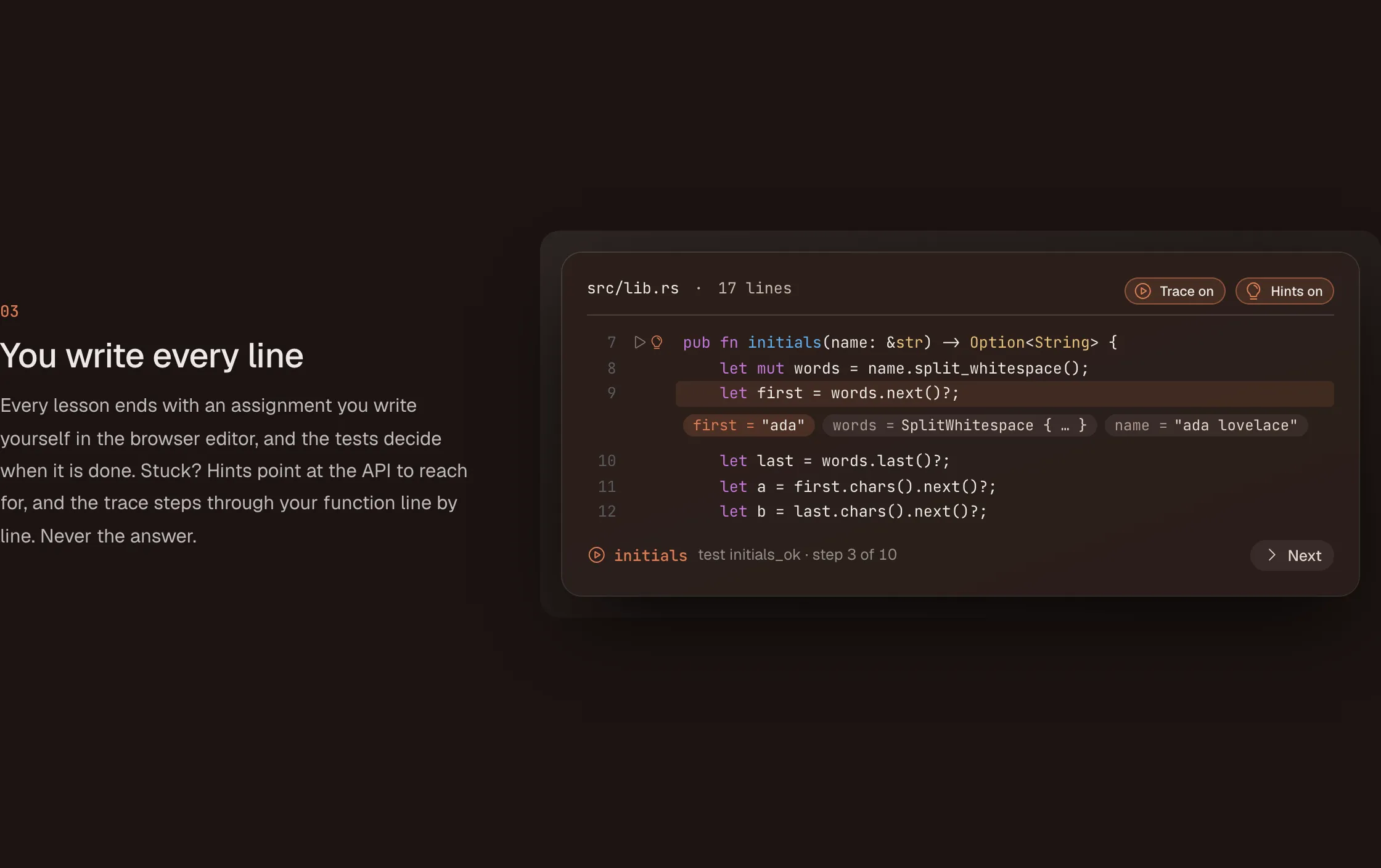 Every module ends lessons the same way: you write the code.
Try it
Pick the module you care about on rustcoach.dev.