Rustcoach: the compiler and Clippy, explained where you write the code
Rustcoach's editor now explains rustc errors and Clippy lints in place, explains any selection on request, and adds a scratch file and an optional stretch challenge. The fix still stays yours.
Rustcoach is an AI Rust coach. The coach writes each lesson for you, sets an assignment you code in the browser, and reviews the code you actually wrote. A sandbox compiles it and runs cargo test and clippy. The coach’s replies come from Claude, by Anthropic. One rule shapes everything else: the coach will not write your solution, not even when you ask.
That rule is easy to state and harder to live with as a learner, because it leaves you alone with the editor at exactly the moments that hurt: a wall of compiler output, a lint you do not understand, a line from the lesson you can read but not explain. This release is a set of small tools, each one for a moment where you would otherwise be on your own. They landed together on 20 September.
The compiler error coach
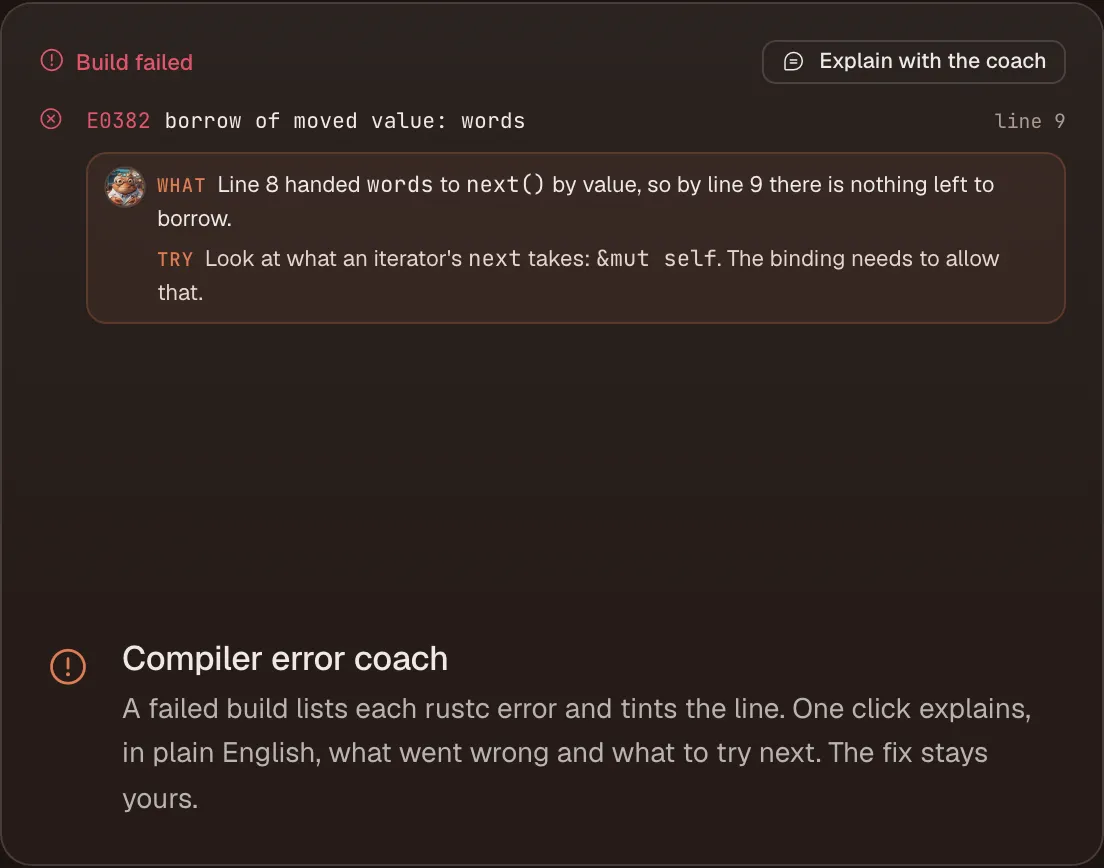
Rust’s compiler errors are thorough, and they are long. They also use a vocabulary a newcomer does not have yet: moves, borrows, lifetimes, trait bounds.
Now a failed build lists each rustc error and tints the line it points at. One click explains, in plain English, what went wrong and what to try next. What it does not do is rewrite your code. The explanation points you at the idea; the fix stays yours.
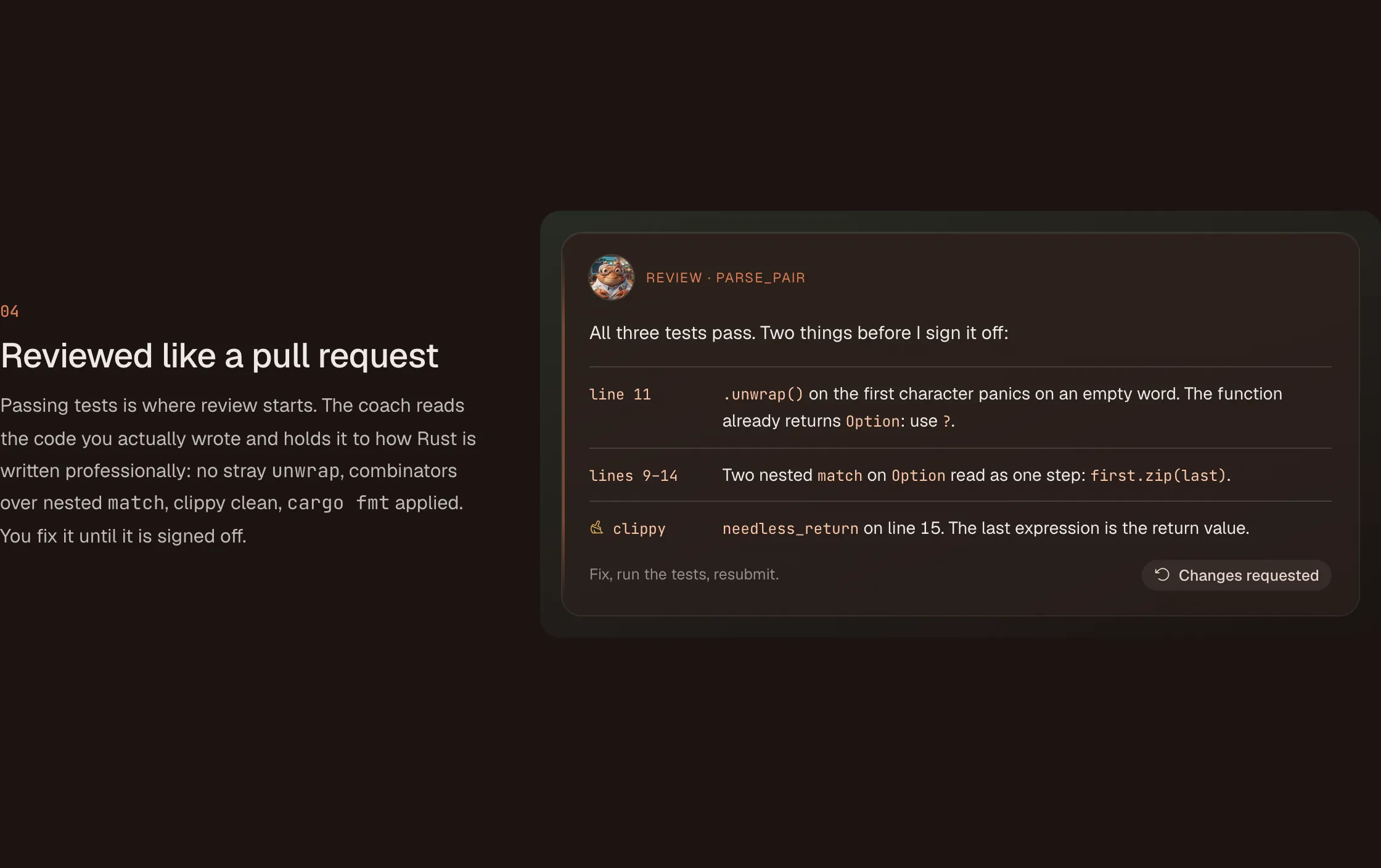 The review reads the code you wrote, Clippy notes included.
Clippy as an additional teacher
Passing tests is where review starts, not where it ends. Every test run now also runs clippy. Each lint shows up in the editor gutter, marked with a small broom, with its message, the help text and a link, so you can read it at the moment you hit it rather than after a review round.
The coach’s review then takes one of those lints and teaches the idiom behind it. Clippy is the same linter Rust developers run on their own projects, so what it teaches here carries straight over to real code.
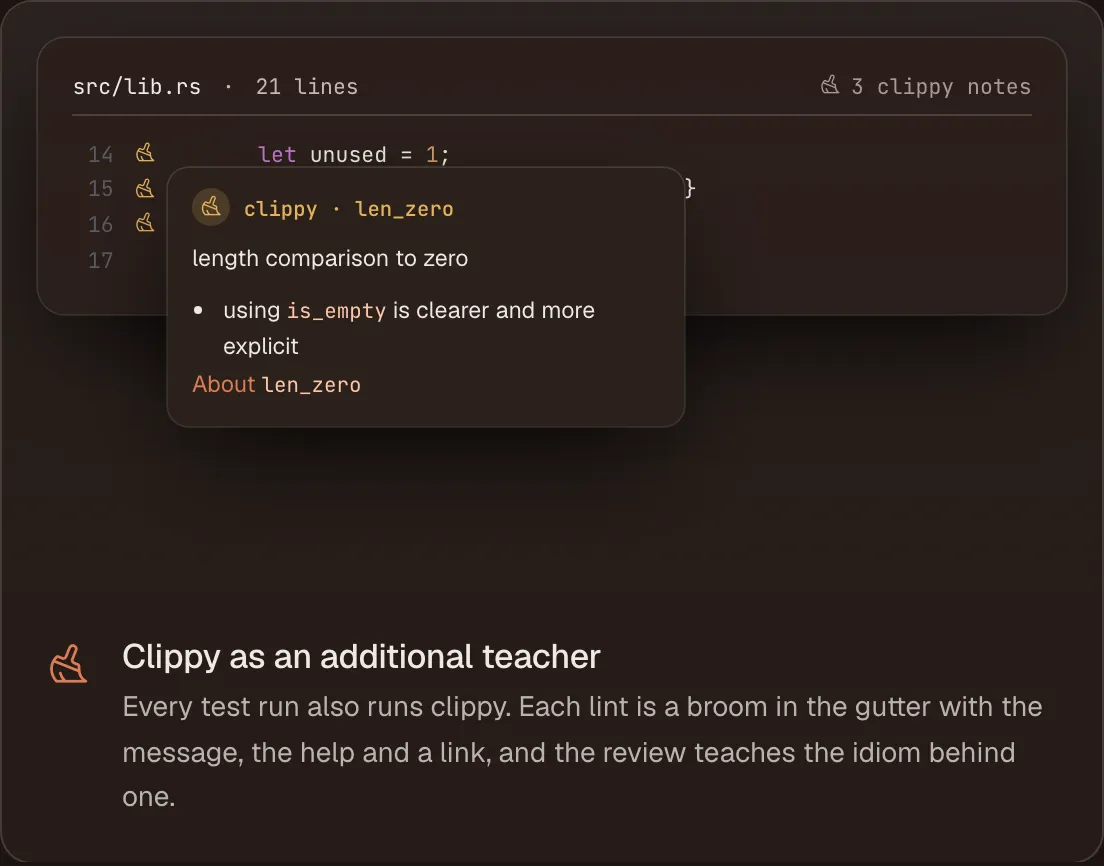 Each Clippy lint sits in the gutter with its message, help and link.
Explain this selection
Lessons are full of code, and assignments start from code. Sooner or later there is a line you can read but cannot explain: a combinator chain, a ? in an unexpected place, a lifetime annotation.
Select the code, press one shortcut, and the coach explains it in the lesson.
A scratch file
Sometimes you want to try something without it counting. Next to every assignment there is now a scratch.rs. It runs with cargo run in the same sandbox as the assignment, nothing in it is graded, and it is saved between visits.
An optional stretch challenge
When your solution is accepted, the coach can offer one optional refactor. It is extra credit and never part of the sign-off, so it cannot hold up your progress. It is there for the learner who passed the tests and wants to know what a better version would look like, and it is still theirs to write.
What stays the same
None of these tools hands you the answer. That was the constraint for every one of them:
- the compiler error coach explains the error, not the fix;
- the Clippy notes point at the idiom, and the review teaches it;
- explaining a selection is an explanation, not a rewrite;
- the stretch challenge is a suggestion you implement yourself.
Hints and the line-by-line trace follow the same rule: hints point at the API to reach for, and the trace steps through your function line by line so you can see where it goes wrong.
The reason is the whole idea of Rustcoach. An AI chat explains Rust well, and Rustcoach is built on Claude too. What a chat window does not do is hold your code to a test suite, run clippy on it, and refuse to write the fix the moment you ask for it. If the coach writes the code, you get better at reading Rust. If you write it, with help at every point where you would otherwise be stuck, you get better at writing it.
Try it
Rustcoach runs in the browser; there is nothing to install. Start at rustcoach.dev.